
You have to go to GoDaddy and click on the Manage DNS.
add the IP address for your github
See, as you have hosting on third party you have two ways to point the domain to hostingOne is forwarding which is already updated on the DNS the other way is to update the hosting IP address in the A records so that it will ping directly to the hosting IP address and domain will connected to hosting

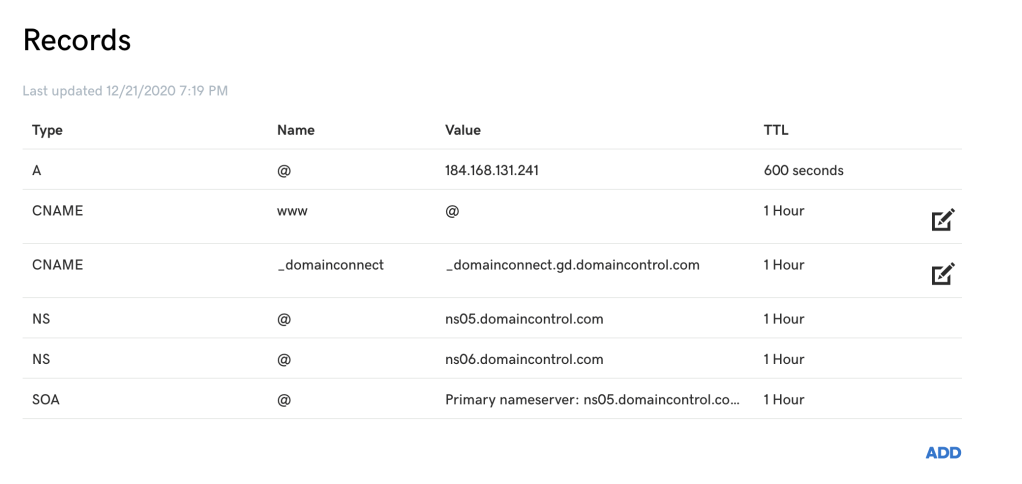
After removing the forwarding

IP ADDRESS FORWARDING:
1.Collect the IP Address
2. go to godaddy
3. create “A” type record , host is “@” and put the ip address as value.
4. go to github repo > settings > add your custom domain there .
https://github.com/subrat82/subrat82.github.io/settings
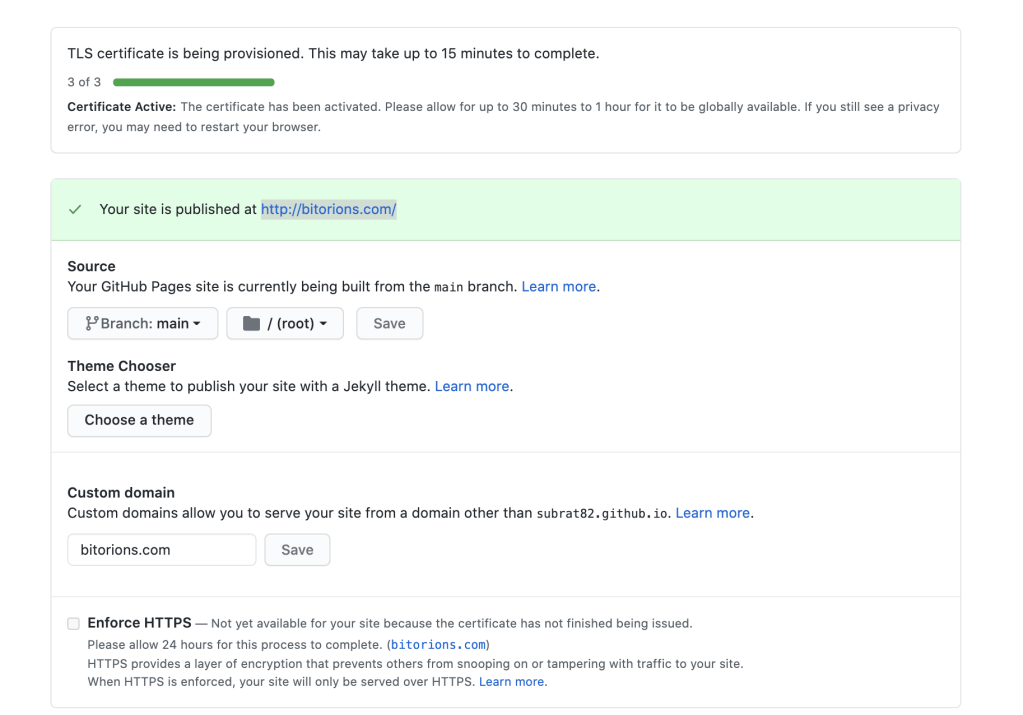
4. on saving the entry, you can check your website, it will take 24-48 hours for propagation,
 TricksZone